Create Stunning Selfies and Edits Instantly
Transform your photos with real-time beauty effects, professional retouching tools, and creative collages – all in one powerful app trusted by over 100 million users worldwide.
Everything You Need for Picture-Perfect Photos
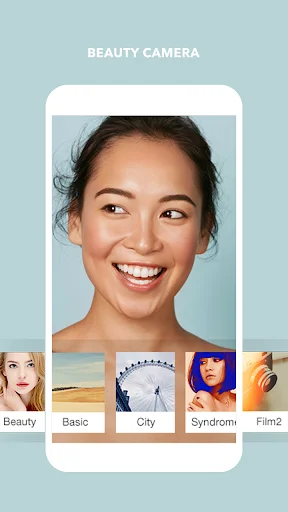
Real-Time Beauty Camera
See yourself enhanced before you snap the photo. Apply makeup, smooth skin, and adjust facial features instantly with live preview, so every selfie comes out exactly how you want it.
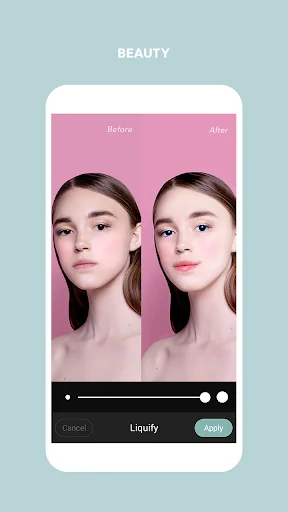
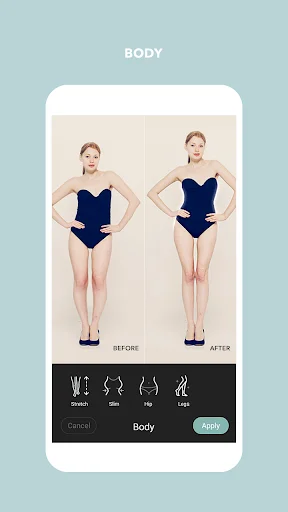
Complete Face & Body Retouching
Perfect every detail with easy-to-use tools that remove blemishes, slim your face, enlarge eyes, reshape your body, and eliminate wrinkles. Get the confident look you deserve in just a few taps.
Quick Collage Creation
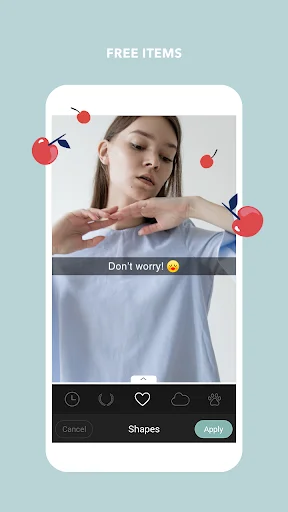
Combine up to 9 photos into beautiful layouts for social posts, greeting cards, or memories to share. Choose from multiple grid styles and add text, stickers, and effects to make your collages stand out.
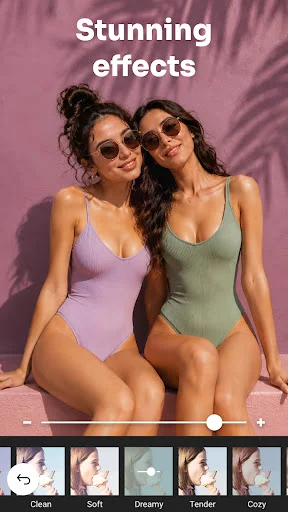
Professional Filters & Effects
Transform ordinary photos into eye-catching images with vintage, neon, film, sketch, and many more creative filters. Adjust brightness, contrast, and blur to give your photos a polished, professional finish.
About Cymera - Photo Editor Collage
Cymera: Photo Editor Collage - Create Selfies, Collages, And Beauty Edits!
Cymera: Photo Editor Collage helps you capture selfies, edit portraits, make collages, and decorate photos with creative tools in one place.
Reshape Photos: Face Filters Selfie Camera gives you real-time selfie effects and beauty camera tools for smoother portraits. Beauty Camera & Pic Collage Maker also helps you combine multiple photos, create poster-style designs, and prepare clean edits quickly.
Creative Photo Editing Features:
- Body Retouch: Filters For Pictures - Use body shaping, waist slimming, leg lengthening, and hip lift tools
- Photo Collage & Selfie Editor - Create collages, posters, and photo cards from gallery images
- Face Retouch: Pic Editor - Remove pimples, wrinkles, dark circles, and red eye
- Picture Collage Photo Editing - Combine up to 9 photos with different grid styles
- Selfie Filters: Picture Editor - Try real-time filters, makeup effects, and favorite filter collections
- Cymera: Photo Editor Collage - Crop, rotate, add mosaic, adjust brightness, and change contrast
- Reshape Photos: Face Filters Selfie Camera - Enlarge eyes, adjust smile, slim the face, and reshape portraits
- Beauty Camera & Pic Collage Maker - Use high-resolution output for clean and clear photos
Take selfies, retouch faces, reshape photos, and build collages!
Body Retouch: Filters For Pictures is helpful when you want to adjust body shape in a simple editor.
Photo Collage & Selfie Editor makes collage creation easy by letting you choose pictures from your gallery and instantly place them into layouts. You can also add text, texture, and photo-card details for posts, greetings, covers, and other social designs.
Simple Editing Flow:
- Open Face Retouch: Pic Editor and choose a selfie or gallery photo
- Use Selfie Filters: Picture Editor for real-time beauty looks
- Start Picture Collage Photo Editing when you want a grid or poster
- Crop the image for socials, square layouts, covers, or thumbnail-style designs
- Apply skin glow, makeup, wrinkle removal, and dark circle cleanup
- Try body reshape tools when you want a different portrait look
- Save the photo in high quality when your edit is ready
Beauty Camera And Selfie Tools:
Reshape Photos: Face Filters Selfie Camera includes skin makeup, face reshape, slim effects, wrinkle cleanup, pimple removal, and dark circle correction. Automatic face recognition helps with eye enlargement, smile adjustment, and face slimming, so selfie edits feel quicker. The app also includes real-time beauty camera effects for previewing your look before saving.
Filters, Lenses, And Camera Options:
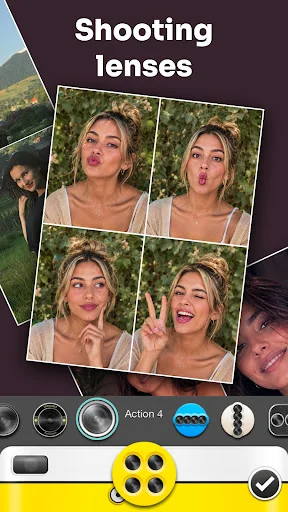
Selfie Filters: Picture Editor includes many filter styles such as vintage, natural, neon, lomo, film, sketch, fisheye, pastel, black and white, nation flags, lens flare, and light leak effects. The camera also includes 7 lenses, anti-shake, timer, touch shooting, out-focusing options, and silent mode for quieter photo capture.
Collage, Poster, And Easy Editing:
Picture Collage Photo Editing supports quick layouts from gallery photos, with grid options that can combine up to 9 images. Beauty Camera & Pic Collage Maker also includes crop tools for social ratios, blur background, text, stickers, and poster-style designs.
Make Every Selfie And Photo Edit Feel More Complete!
Cymera: Photo Editor Collage gives you beauty tools, camera effects, collage layouts, body editing, face retouching, and photo adjustments in one app. Face Retouch: Pic Editor keeps portrait cleanup simple, while Photo Collage & Selfie Editor helps turn everyday pictures into polished designs for sharing or saving.
See Your Photos Come to Life
Join Over 100 Million Happy Users
I've been messing around with this app for about 10 minutes now & I'm INCREDIBLY IMPRESSED! Seriously! I keep waiting for something negative to happen, like being blocked from features, so your forced to buy the premium version. So far I've only been editing some pics and everything worked fast, easily & efficiently. I haven't been impressed by an app in a very long time, so this is such a nice surprise. I'll start trying more features and I'll update this rating after using it more.
10/10 HIGHLY RECOMMEND I have been using cymera for the last ALEAST 10 years on and off amd the only photo app i ever kept let aloh ideaThis does not have any ads, it has everything you are looking for in a photo/ beauty app and its all l free no strings attached. This app has every tool you'll need to MAKE your photo amazing from basics to filters backgrounds body and face editing Make-up you can change anything.
Literally my ALL TIME FAVORITE PHOTO EDITOR!! I've been using it since my I had my First Android phone. You can edit your photos in Every way u can possibly imagine. Theres basic Brightness, contrast, Sharpness etc editing, Filters, Lighting settings, blur tool, beauty tools such as Eye enlarging, skin perfecting,smile Editor etc. all you could possibly want/need😉😊😊
I have been using this app since 2014 on multiple style phones and it is by far, the best free editing app fory preferences. You can control the transparency of the filters, crop, almost anything. I love this app and will continue to download it on any phone I own. I absolutely recommend if you're a beginner or even expert level editor. Simple and very easy to use.
Hands down my favorite free photo app. You can actually use some of the free functions (a lot actually), unlike most apps that give you one or two "free" functions before the gotcha trick that keeps you from even seeing the work you're editing unless you pay for the upgrade. Fun to use and simple. A great app.
I've been using Cymera for years, I tried branching out and trying other apps but none served me quite like this app does. Simple but reliable, super easy to use and effective to top it off. You won't find a more convenient, free photo editing app than this one.