Transform Your Instagram Into Stunning Grids
Split your photos into eye-catching grid layouts that make your profile unforgettable. Create professional-looking giant grids in seconds and watch your followers stop scrolling.
Everything You Need to Stand Out
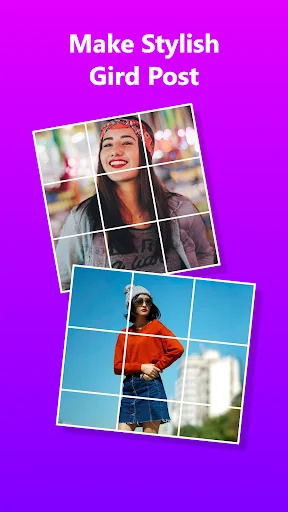
Split Photos Effortlessly
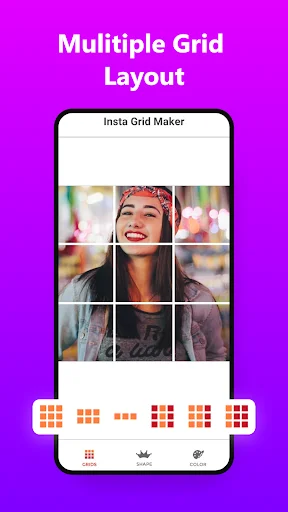
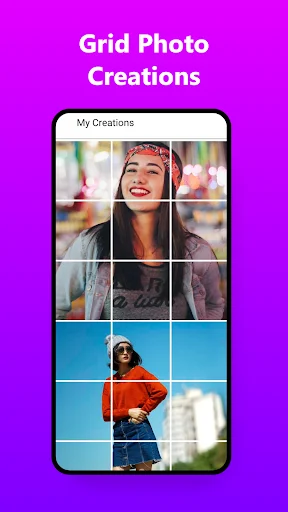
Turn any photo into beautiful grids with formats from 1x2 to 5x3. Your images stay crystal clear in HD quality, so every detail looks perfect across your entire profile.
Post Directly to Instagram
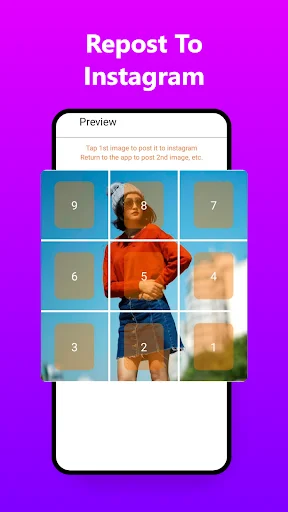
Skip the hassle of manual posting. Our smart system guides you through uploading each grid piece in the right order, so your giant grid appears flawlessly on your profile.
Customize Every Detail
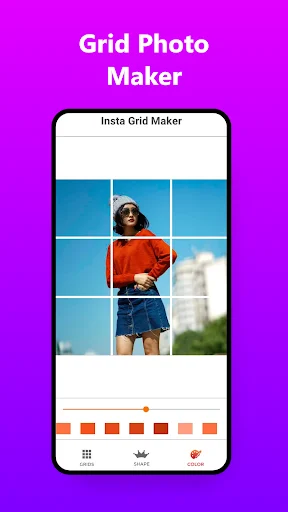
Make your grids truly yours with custom backgrounds, colors, and blur effects. Use the paint tool to add personal touches, then scale, rotate, or flip until it's exactly right.
Ready-Made Templates Available
Choose from professionally designed templates for birthdays, holidays, and special occasions. No design skills needed – just pick a template, add your photo, and you're done.
About 9 Square Photo - Grid Maker
Photo Grid - Photo Split - Panorama Crop
Grid Maker allows you to split (crop) your large rectangular photos into a number of nine cut - 9 grid - 9x9 grid, and upload them to Insta and impress your friends and your profile page visitors with Giant Grid Maker. Grid Maker introduces a totally new way of using Insta with a cool, wrapped in simple and easy to use design. The Photo Grid app quickly lets you grid post the 3x3 or 2x3 grids to show it as one big photo on your profile.
Grid Maker is the original and the most popular app. Photo Split make photo grid and grid post them directly to Insta. Panorama Crop lets you slice any picture into a 1x2, 1x3, 2x3, 3x3, 4x3 & 5x3 grids while keeping it in high resolution.
Giant Grid Maker: Photo Split - 9 Photo Grid
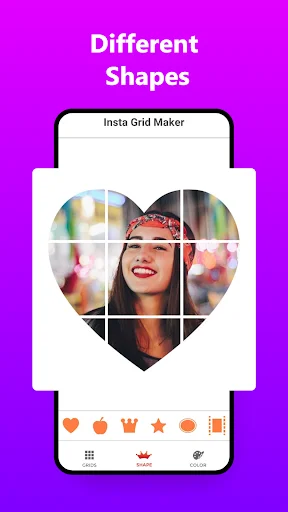
Nine Cut - Photo Grid allows you to make your photo a square crop sketch grid with a blur background in HD quality. You can also choose background images, background colors & blur effects, and multiple grid templates with this Instagrid. This Photo Split app also provides you the custom paint tool so you can draw anything you want with your fingers in image splitter. You can scale, rotate, flip & crop with predefined sizes or custom using this feature with the feed grid post.
Photo Collage Maker: Grid Maker - Photo Split
Nine Cut provides you with ready to use and professionally designed grid templates & Picture / Photo Collage Maker. You just need to add your photos in square graph collages, and this Panorama Crop will split your large picture into a number of grid square pics. Photo Split is the fastest and best feature for Instagrid & cool drawing grid. Grid Maker has many templates for every occasion, like Birthdays, New Year, Christmas, Spring, Halloween, Festa Junina, Diwali, sales, Anniversaries, Valentine's Day, Summer, Autumn, and much more.
Using of Photo Split - Grid Maker
This Grid Maker can also be used as:
- Photo split - Photo collage
- Instagrid
- Create Giant square for IG
- 9 square - 9 Grid
- Photo splitter
- Nine cut
- IG grid maker
- Griddle
- Panorama crop
- Crop any picture into 3x1, 3x2, 3x3, 3x4, 3x5 grids
DISCLAIMER
This Photo Split - Grid Maker app is not affiliated with Insta or any other platforms. If you have any problems or suggestions, feel free to let us know.
Email: cloudmindsolutions4040@gmail.com
See How Easy It Is
Loved by Thousands of Users
Great app This is the only Instagram Grid maker app I have found that make grid of an image and then let you Post grids one by one to Instagram and stops on tha last one and saying you have posted all tha grids
I love it, Split an image into grids done many other apps but one of the amazing feature I really like that you can change the grid color according to you (dark or light) Really great app 🤩
Best appfor making insta grids.you can choose many formats in this app and every format is for free.Amazing app.Deserve 5-stars rating
Great app with lot of features. Awesome app with great functionality. I love this app. Easy to use and a lot of convenient functions.
Really good app, easy to use for split giant image into 3x3, 3x2,3x1 and many more and Totally ad free ... amazing 👍
A perfect app that helps me alot in making grid that I have used for my instagram post. Great and easy to use app.